What is it, and Why is it Useful?
At the time of writing, the Unreal Engine Wwise plugin provided by Audio Kinetic does not have support for the UE Movie Render Queue. This means that rendering sequences with Wwise audio event tracks will be silent, or at least will not capture the Wwise audio output.
I have implemented this functionality in the WAFLE plugin. The source code can be viewed here.
How to Use
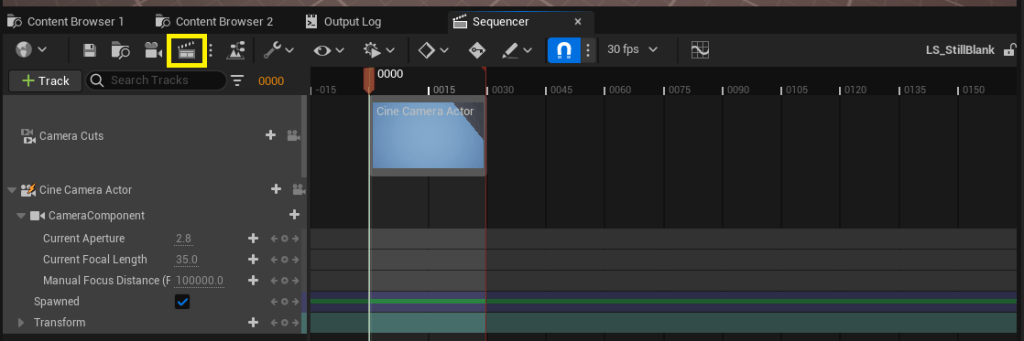
Open the Movie Render Queue from a level sequence editor by selecting the highlighted button below.
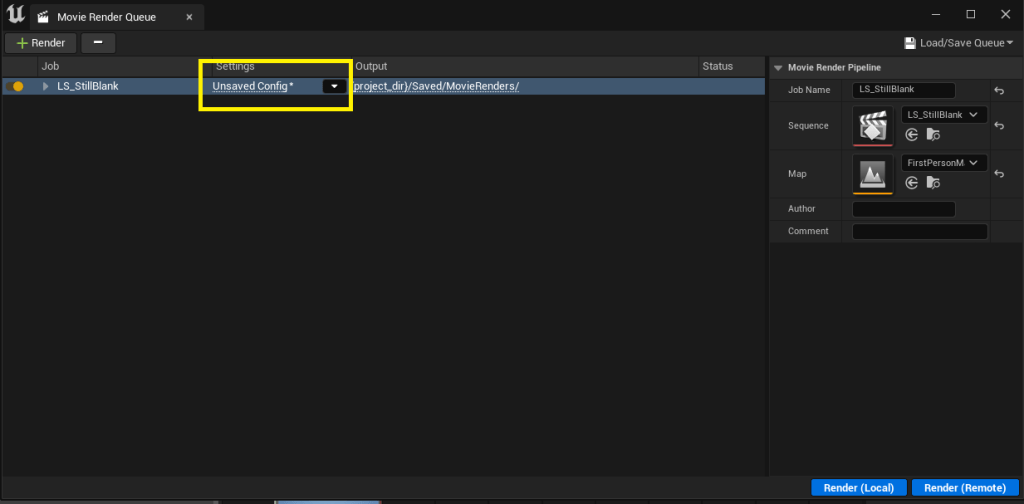
Select an existing or new settings config to edit it.
Select the “+ Setting” button on the top left and add the “.wav Wwise Audio” setting.

That’s it! Select “Accept” and render with whichever additional settings you’d like.
Implementation Notes
The implementation is relatively simple. We just need to create a new subclass of UMoviePipelineOutputBase, and fill in the details.
In order to set things up in UAkAudioMoviePipelineWaveOutput::SetupForPipelineImpl, we gather some relevant info from the Ak SoundEngine, like the sample rate and channel config, enable it’s Offline Rendering mode, and register for a “Capture Callback”. The Capture Callback will be called each time audio is rendered in the offline mode.
In the capture callback UAkAudioMoviePipelineWaveOutput::ProcessAudio, we convert the raw sample data from Wwise to PCM formatted data so that we can serialize to a .wav file once the rendering is completed.
Each time the engine lets us know that a frame of image data has been processed, by calling UAkAudioMoviePipelineWaveOutput::OnReceiveImageDataImpl, we tell the Ak SoundEngine to render a frame of its own, to produce audio data to be captured in the ProcessAudio function mentioned above.
When all frames have been processed, the output gets saved to a .wav file and that’s all! Users can use the .wav file in their favourite video editing software to merge the audio and visuals together for their final product.
 Sheri Brady