What is it, and why is it useful?
Wwise has API for queries to be made into the SoundEngine. In my experience, one of the most useful queries is GetRTPCValue which returns the current value of a Game Parameter (aka RTPC). This allows the game to do cool things like read the volume of specific sounds and use those values to drive visual elements.
However, these query functions are within the AK::SoundEngine::Query namespace, which all acquire a global mutex when called. This of course can block the calling thread for an unknown period of time. Therefore, to be of any use we need to move all calls from game thread, to the Audio Rendering thread where the global mutex is already acquired. This is briefly discussed on their forum, and below is an excerpt from their documentation regarding the AK::SoundEngine::Query namespace:

The module WAFLE AkSoundEngineQuery provides functionality to queue GetRTPCValue queries and execute them from the audio rendering thread, and asynchronously call a result delegate back on the game thread when the results are ready.
How to Use
The following assumes that you have set up an RTPC in Wwise that you would like to obtain the value of within a UE Blueprint.
You can “subscribe” to get RTPC value updates. This means the passed in delegate will be called continuously with the RTPC values as it updates, until you “unsubscribe”:

Subscribe to RTPC Updates PlayingId
Subscribe to get continuous RTPC value updates. The scope of the RTPC value is specific to a Playing Id of an AkAudioEvent on the passed in AkComponent. “Delegate To Call” is executed when the result is read.
The “Return Value” is a Handle which can be used to Unsubscribe later.
Subscribe to RTPC Updates Game Object
Subscribe to get continuous RTPC value updates. The scope of the RTPC value is specific to the GameObject associated with the passed in AkComponent. “Delegate To Call” is executed when the result is read.
The “Return Value” is a Handle which can be used to Unsubscribe later.


Subscribe to RTPC Updates Global
Subscribe to get continuous RTPC value updates. The scope of the RTPC value global, and only works on globally posted AkAudioEvents. “Delegate To Call” is executed when the result is read.
The “Return Value” is a Handle which can be used to Unsubscribe later.
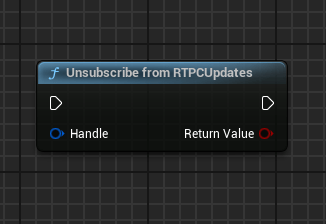
Unsubscribe from RTPC Updates
Unsubscribe to stop getting RTPC updates. Pass in the handle returned from the Subscribe function.
Alternatively, you can make a simple one-off query to get an RTPC value a single time.
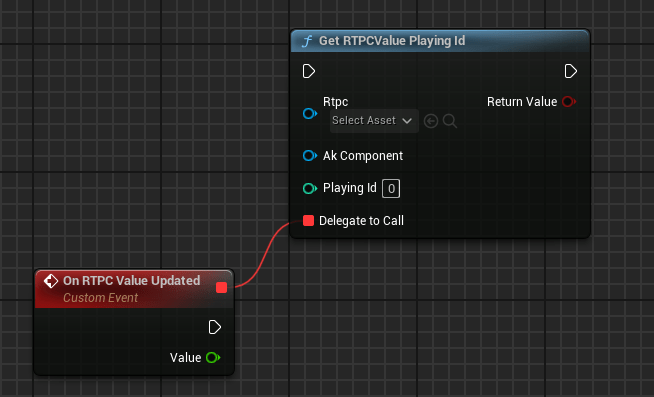
Get RTPC Value for a PlayingId
Call to query the current value of the provided RTPC. The scope of the value is specific to a Playing Id of an AkAudioEvent on the passed in AkComponent. When the result is ready, “Delegate To Call” will be executed.
True is returned when the query is successfully queued.
Get RTPC Value for a Game Object
Call to query the current value of the provided RTPC. The scope of the value is specific the passed in AkComponent. When the result is ready, “Delegate To Call” will be executed.
True is returned when the query is successfully queued.


Get a Global RTPC Value
Call to query the current value of the provided RTPC. The scope of the value is global and only works on globally posted AkAudioEvents. When the result is ready, “Delegate To Call” will be executed.
True is returned when the query is successfully queued.
Note of warning: The passed in delegate is not guaranteed to be called on the next game frame, as WAFLE will only process a maximum number of Sound Engine Queries per frame to keep performance in check. This means, only non-time-critical functionality should rely on these values.
Simple Example
In this example, we will create a simple actor which has a cube mesh who’s scale will change depending on the volume of a sound played in Wwise.
The end result:
Wwise setup
1. Add new sound in Wwise & hook it up to a Play Event

Import the sound, and setup positioning settings etc.
2. Add a Meter effect to it
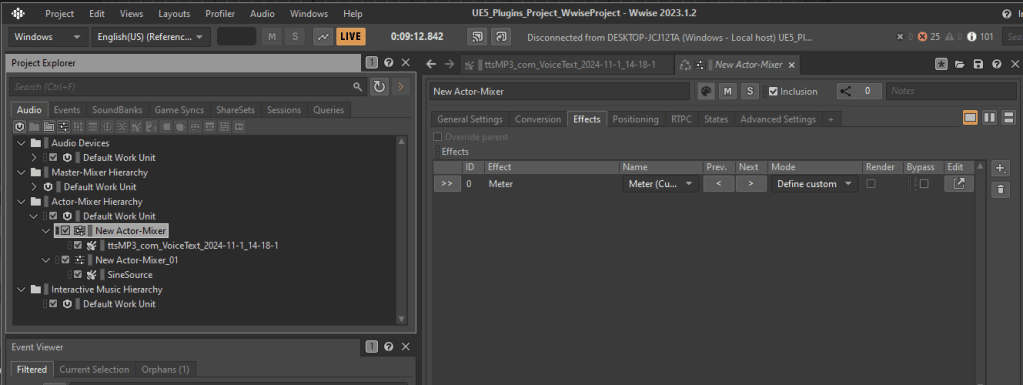
3. Set the Meter’s output to a new RTPC

4. Set the RTPC’s range -48 to 0

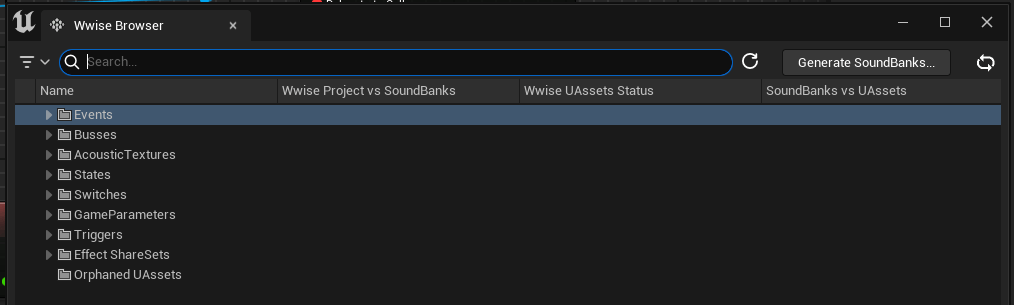
5. Generate SoundBanks in UE
UE Blueprint Setup
1. Create a new Actor class with AkComponent and Cube Mesh Components
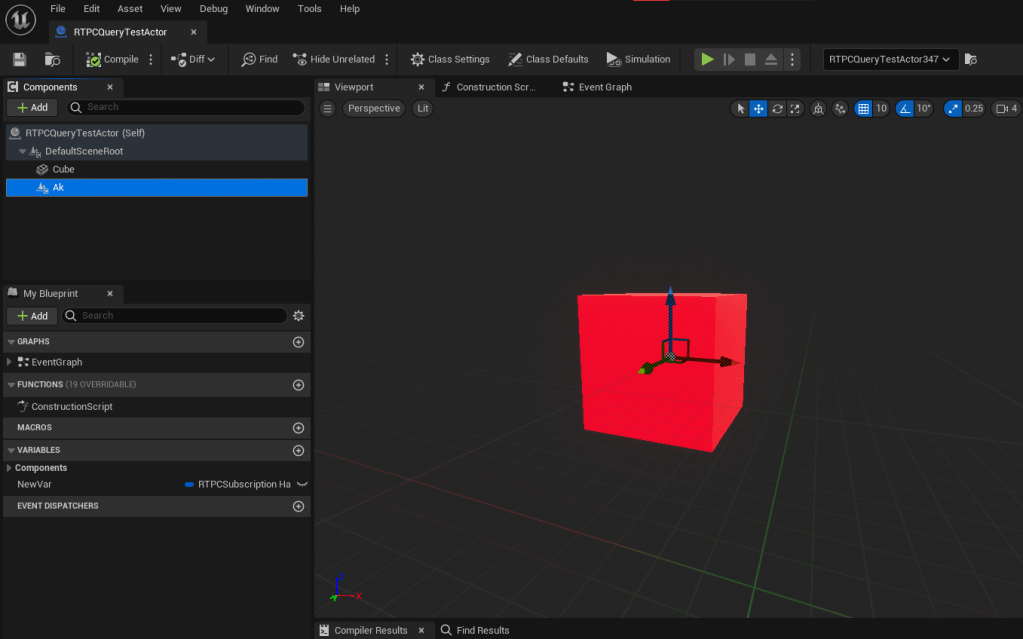
2. Edit the Blueprint – Subscribe to RTPC value updates
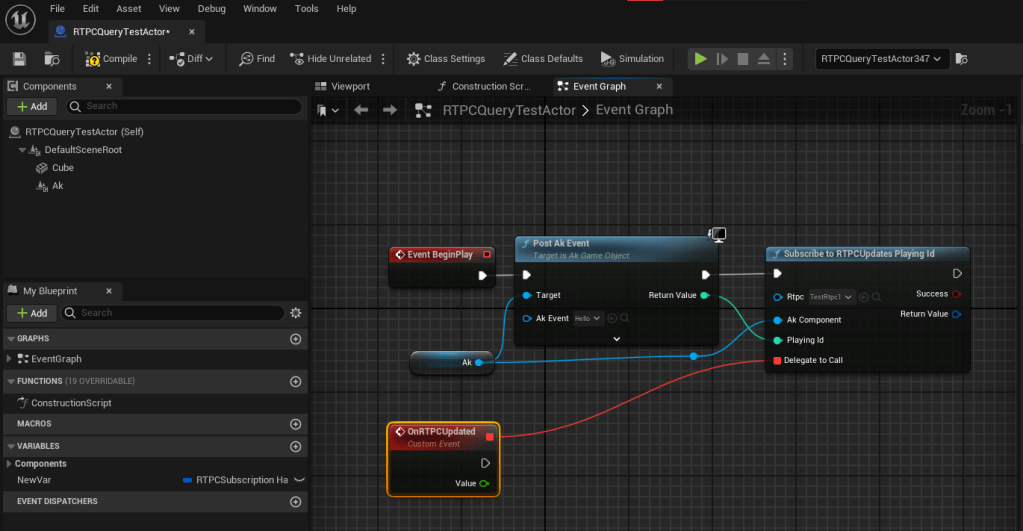
Post the event you created in the very first step to the AkComponent on Begin play.
Then call “Subscribe to RTPC Updates Playing ID” with the RTPC you created, the returned Playing ID and a new delegate.
3. Edit the Blueprint – Store the returned Handle in a Local Variable

Store the subscription handle so that we can unsubscribe from the RTPC updates later.
4. Edit the Blueprint – Scale the cube size based on RTPC Value
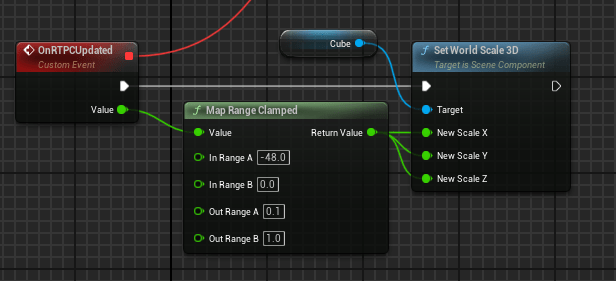
Using the Map Range Clamped node, we can convert the RTPC output value, which is driven by the Wwise Meter and is in decibels, to be scaled between 0 to 1. This value can then be used for anything; in this case: drive the size of the cube mesh.
5. Edit the Blueprint – Unsubscribe from RTPC updates on EndPlay

Using that handle stored as a local variable in step 3, we can clean up by unsubscribing from RTPC Updates on the actor’s EndPlay.
Implementation Notes
UWAFLEAkSoundEngineQueryManager is the central subsystem which manages all queries and RTPC subscriptions. It’s name is quite general, as it could certainly be extended to handle more than just “get RTPC Value” queries.
On Initialize it binds itself to a Wwise callback, which will execute on the audio rendering thread. The callback is called ProcessGetRTPCQueries_AudioThread , and essentially just dequeues query data, makes calls to Ak::SoundEngine::Query and then enqueues the results. There is a tunable maximum number of queries that it can perform per frame, and the function exits when the limit is reached. Also, we ensure that we do not enqueue duplicate queries – if an RTPC subscriber is still waiting for a result, it doesn’t enqueue another query.
Here, we can see that we have shared data between the audio and game threads. The “Query Queue” and the “Result Queue”. I’ve chosen to use the Threadsafe lockless TQueue type provided in the Unreal Engine, for both of these. They are stored in a wrapper struct FWAFLEGetRTPCQuerySharedData which gets instantiated when the FWAFLE_AudioThreadModule initializes, and it’s stored in a Threadsafe TSharedPtr. This way, we know we can access it throughout the lifetime of the UWAFLEAkSoundEngineQueryManager from both Game and Audio threads. The “Query Queue” is populated from the Game thread and consumed by the Audio thread. The “Result Queue” is opposite, populated by the Audio thread and consumed on the Game thread.
Profiling
The profile session described below can be downloaded from my github repo here.
For profiling purposes, lets take the above simple example to a bit of an extreme, and place 256 of those example Actors. As mentioned in the implementation notes, there is a tuneable maximum number of SoundEngine queries that will be processed per audio frame. In this section the maximum queries will be set to 100.

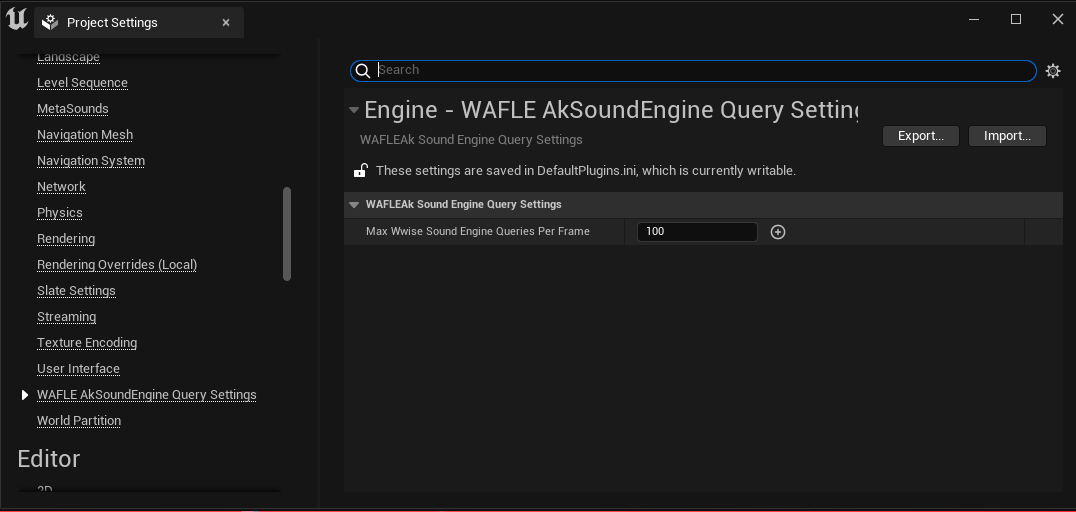
Below is the version I Profiled:
Profiling Results
In the session I profiled, there were 256 cube test actors which each subscribed independently for RTPC updates in the WAFLE system. Also, the maximum number of queries allowed to process per frame was 100.
In the profile, we can use our counters to verify a few things: (right click > open image in new tab to zoom)
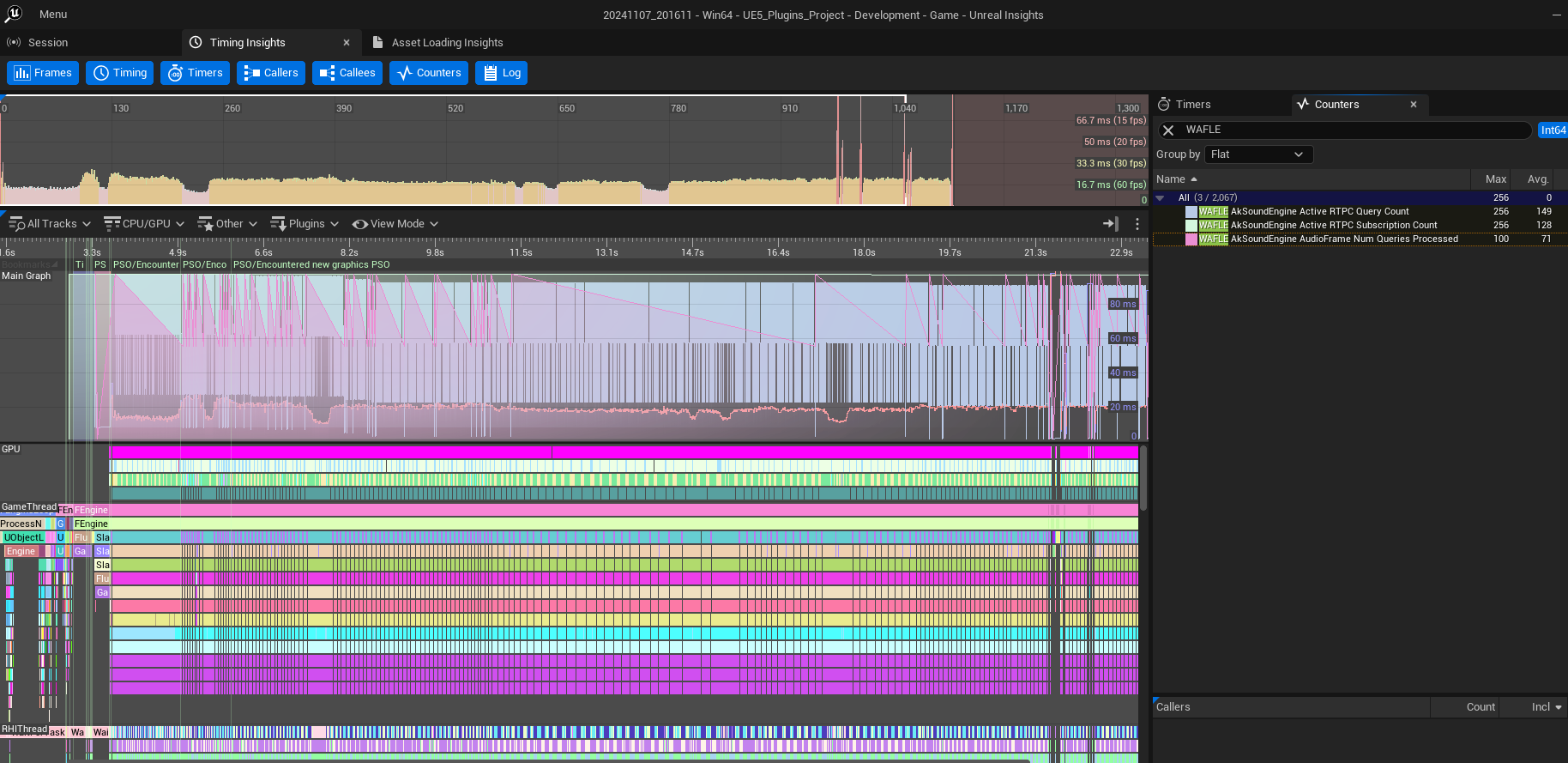
WAFLE AkSoundEngine Active RTPC Query Count- This counter tracks the number of queries in the queue. The Max value is 256 (see image above)
- This verifies my implementation: if a query for a specific subscriber (in this case, one of our cube test actors) is queued, then it does not enqueue another query until a result is returned.
- This is to ensure that the queue doesn’t doesn’t get completely filled with equivalent queries that would return the same result, to the same subscriber.
WAFLE AkSoundEngine Active RTPC Subscription Count- This counter tracks the number of subscribers registered in the system.
- The counter max value is 256. (see image above)
- This verifies that all 256 cube test actors were active.
WAFLE AkSoundEngine Audio Frame Num Queries Processed- This counter tracks the number of queries processed in a frame on the audio thread.
- The max value is 100 (see image above).
- This confirms that our setting for max queries to be processed per frame is not being exceeded.
The cost of making Queries from the Audio thread: (right click > open image in new tab to zoom)

CPU Profiler event ProcessGetRTPCQueries_AudioThread encapsulates the execution of all of the queries being made to the Ak::SoundEngine::Query namespace.
Performance is really good here, because from this context, the global mutex in the Wwise codebase is already acquired, and the calls can be made without being blocked by another thread. The Inclusive Max (I.Max in the image) is 0.13ms, very reasonable!
So what if we didn’t go through all this trouble, of moving the queries to the audio rendering thread?
Lets compare a profile, where I changed the implementation make the queries from the Game Thread (in the codebase, set UPDATE_RTPC_SYNCHRONOUS to 1):
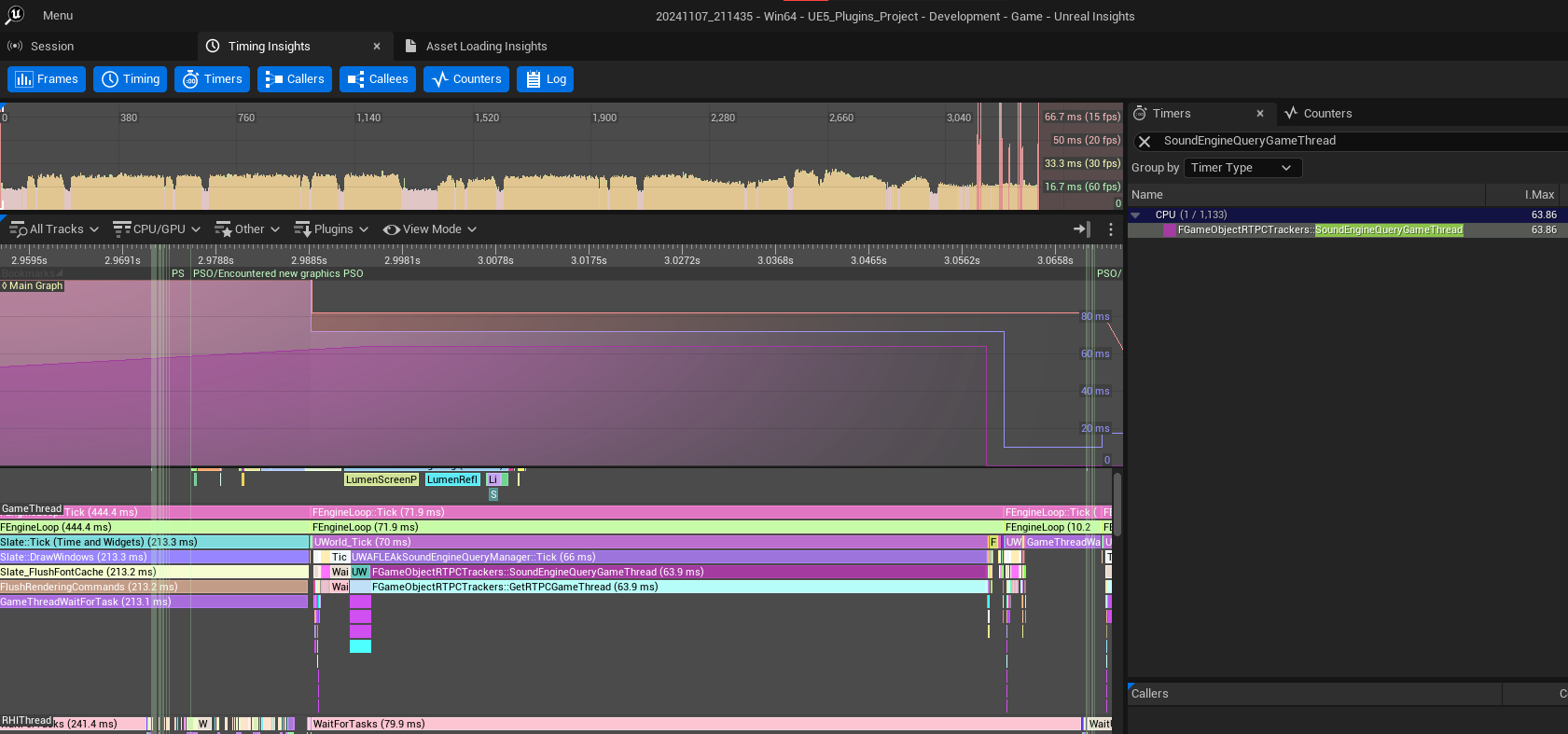
(right click > open image in new tab to zoom)
Here the CPU Profiler Event SoundEngineQueryGameThread is at the top of the function which makes calls to AK::SoundEngine::Query:: from the game thread. It has a max inclusive time of 63ms coming from the contention of the mutex from the game and audio threads. It’s unknown when, how often or for how long the game thread could potentially stall here, which is why this is never recommended.
If you looked at the profile, you may have noticed that the performance of UWAFLEAkSoundEngineQueryManager::Tick is, relatively speaking, not great, averaging around 4ms. This is because we execute the Delegate bound on all 256 Cube Test Actors with the resultant RTPC values. This delegate scales the size of the Test Actor’s cube. There’s nothing else going on in my example level, so it’s negligible.
I’m leaving this implementation as-is, because really the performance here is going to depend on the use case. If calling 256 delegates was the typical case, then we could time box the ProcessRTPCQueryResult function, executing only some of those delegates within a time budget. Then we could call the rest in subsequent frames. The nature of this feature is only intended for visual presentation, and not time-critical features, so a bit of extra delay here and there is likely acceptable.
 Sheri Brady